Payment received, fulfillment stalled
Customers have payment confirmations, but the ERP has no matching sales order. Staff find the gap through customer calls or manual checks, and warehouse work starts later than your normal process allows.
System integrations & custom APIs
Your storefront shows a paid order. The warehouse can't find it in NetSuite or Eagle, and the customer is waiting. We trace the missing handoff, fix the integration failure, and help your team recover affected orders, checking existing ERP records.
Discuss this problemWe start with one missing order and one that transferred successfully. Following both through the storefront, connector and ERP usually makes the failure easier to find. We confirm which payment status should release an order, what the ERP needs to accept it, and who handles exceptions. The work covers the transfer logic and an agreed batch of orders to recover. Your operations team reviews any orders that need a business decision before they go to fulfillment.
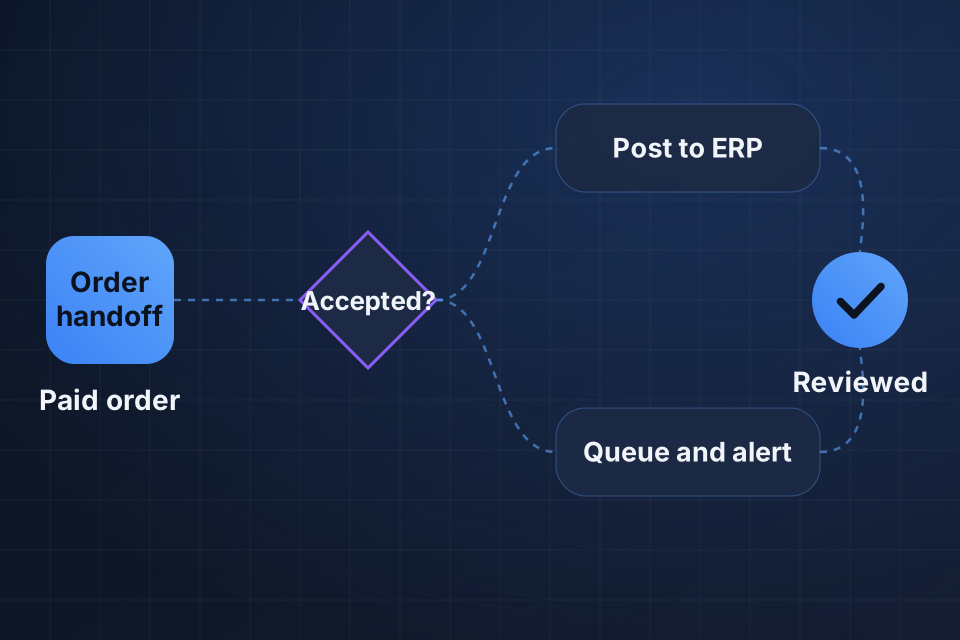
Customers have payment confirmations, but the ERP has no matching sales order. Staff find the gap through customer calls or manual checks, and warehouse work starts later than your normal process allows.
Most orders transfer, but those with a new SKU, unusual address, discount or customer type fail. A connector can look healthy while rejected records pile up outside your team's daily view.
Someone re-enters a missing order, then worries the integration will deliver it later. Staff keep a separate spreadsheet because they can't tell which orders were accepted, rejected or already recovered.
We follow the storefront order number through the trigger history, transfer logs and the ERP's response. That separates an event that never arrived from a rejected request, or from a successful order whose confirmation was lost.
We compare field mappings and order release conditions with what the ERP requires. We focus on product IDs, customer matching, tax treatment, shipping methods and required values, based on the records that actually failed.
We compare eligible paid orders with ERP records for an agreed period. Existing manual entries and canceled orders are accounted for before we produce a recovery list for your team to review.
We fix the trigger, mapping or connection problem the evidence points to. Invalid records get a visible exception, with enough context for someone to fix the source and resume processing.
We check the ERP before replaying the approved backlog, and we record each outcome. Orders staff already entered are matched where possible. Unclear matches go to a person before another order is created.
We add an agreed comparison check and failure alerts your team can act on. The handover explains where to look at a rejected order, how to confirm whether it exists in the ERP, and when recovery needs approval.
We can work with them, but we compare first. We check those entries against storefront order numbers and other agreed matching fields, and a person reviews unclear matches. Recovery may mean linking to an existing record or skipping it, not importing it again. Your team confirms fulfillment status before any recovered order is released.
Typically, limited access to storefront order history, the integration's run history and the relevant ERP records. The logs and integration features available depend on your setup. We agree access with the account owner and use a test environment when one is available.
Not at first. The initial scope is the order transfer and recovery path. Warehouse rules, payment capture timing and accounting policies can affect the fix, so we document those dependencies. We scope broader fulfillment changes separately with the people who own those decisions.
Tell us which storefront, connector and ERP you use. Share one redacted missing-order example with its status and rough transfer time, so we can identify the first handoff to inspect.
Explore System Integrations More problems in System integrations & custom APIs
Tell us about your project and we'll get back to you within 24 hours.