The form succeeds, the inbox stays empty
A visitor sees a confirmation and the inquiry may appear in the website's records, but the assigned team gets no alert. Staff find requests only when they open the form platform directly.
Workspace & email
Ordinary email works, but a quote or website inquiry never reaches the right person. Sales follow-up depends on someone noticing the gap. We trace the sending app through its email provider and Google Workspace, then test that notification path.
Discuss this problemMail sent by an app often follows a different path from a message sent in Gmail. We start with one known missing notification and the event that should have produced it. Then we check whether the message was created, whether the sending service accepted it, and what receiving logs are available. We review the quote or form workflow alongside your email settings. That separates delivery problems from notifications that were never triggered or went to outdated addresses.
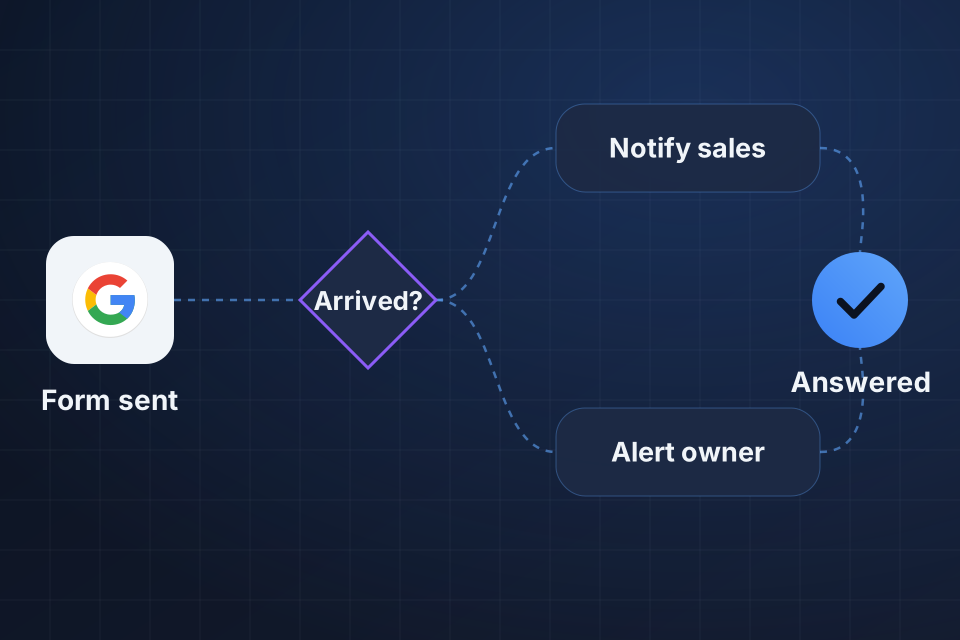
A visitor sees a confirmation and the inquiry may appear in the website's records, but the assigned team gets no alert. Staff find requests only when they open the form platform directly.
A salesperson's Gmail message reaches the customer, yet a quote sent from the CRM does not. The two messages may use different sending services or domain settings, even when the sender address looks similar.
Alerts reach one person's mailbox but disappear when sent to a group or shared sales address. Membership, routing, moderation or recipient settings can affect the path, and changing the form alone may not resolve it.
We inspect the form or quote event, the alert rules, and sender logs where available. Trigger rules, disabled alerts, outdated addresses and app sending errors all get checked before we look at the receiving inbox.
We compare sender responses with available Workspace email logs, using timestamps and message IDs. Bounces, spam placement and routing evidence show where the path failed or where our visibility ends.
We inspect how the app sends mail and the relevant domain authentication settings. For groups, we review the actual group and routing rules. Any change depends on the affected path and what your account can do.
We correct the proven trigger, recipient or sending connection problem. A successful form entry stays visible in the source system, so staff can find an inquiry even when a later alert fails.
With the account owner, we update the relevant sender authentication, approved sending settings or Workspace routing. We check the sending method the app supports and keep mail going to the intended people, without broadly forwarding every message.
We agree how staff check failed sends and match source form entries or quotes against alerts. The handover records the sender path, test evidence and escalation steps for when a provider or outside recipient controls the next action.
The form or CRM can send through its own provider, a website server or a separate connection. Each path has its own settings and delivery evidence. We inspect the actual app sender before changing Workspace settings, so the fix addresses the affected path.
No. Receiving providers and customer mailbox rules affect final placement. We verify the sender setup and controlled test delivery, then document what else it depends on. An accepted send and an inbox delivery are separate outcomes, and the evidence available for an outside recipient may be limited.
A screenshot of the quote or form event with private details removed, its approximate time and the expected recipient are useful. A message ID or cleaned-up error helps when available. We arrange scoped account access separately and keep customer content out of your first inquiry.
Tell us which form or quoting platform sends the missing messages and whether recipients use Google Workspace. Share one failed-notification example with private details removed and its approximate time, so we can trace the path.
Tell us about your project and we'll get back to you within 24 hours.