Business Process Automation: Order & Inventory Automation

One order can create a shipment, update your stock and notify the customer without anyone retyping a thing.

Every Order Typed Twice

Each new order means retyping details, printing a packing list and updating a stock count by hand. Mistakes lead to shipping delays, and you only find out an item has run out after someone buys it.

We automate order processing, inventory management and fulfillment workflows. Orders create shipments, update inventory, trigger payments and notify customers on their own. When stock hits a set level, a reorder goes out, and manual work drops away.
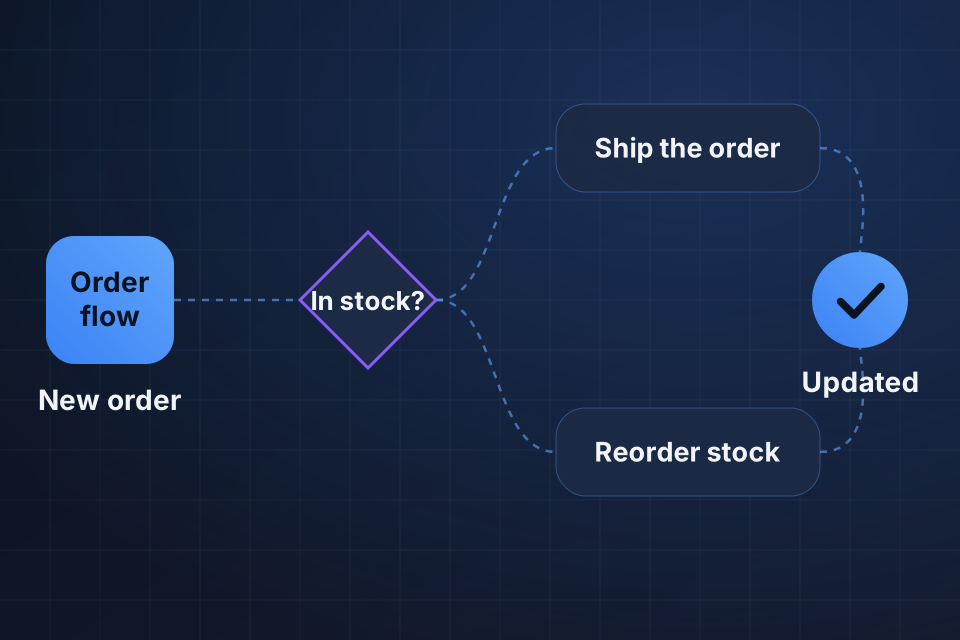
Diagram of order automation that checks stock on each new order, then ships it or raises a supplier reorder.

What Changes in Fulfillment

Faster order fulfillment with no manual entry

Inventory that stays balanced automatically

Fewer shipping delays and mistakes

A better customer experience, because orders go out faster

How We Automate Fulfillment

1

Follow an order

We trace one order from placement to delivery and note every manual step along the way.

2

Connect your channels

Inventory syncs in real time across sales channels, so you stop selling what you don’t have.

3

Automate the shipment

New orders create shipment records and packing lists, and out-of-stock items go to backorder with a customer notice.

4

Set reorder points

Below a set stock level, purchase orders generate and go to suppliers without manual work.

Why Choose System Strats

We’ve automated business processes across many platforms, so we understand how to make your store, stock records and shipping steps work as one process. We focus on practical automation that delivers measurable ROI.

Frequently Asked Questions

When an order is placed, the system creates the shipment record, picks the items and generates packing lists. Your staff follow those lists with no manual data entry.

Yes. When an item is out of stock, the order can go to backorder automatically and the customer gets notified. The system fulfills it when stock returns.

With real-time inventory syncing, which stops you selling items that are out of stock. If you sell on multiple channels, centralized inventory prevents overselling across all of them.

Yes. When inventory drops below your reorder point, purchase orders generate and go to suppliers automatically. Replenishment happens without manual work.

Ready to Get Started?

Tell us about your project and we'll get back to you within 24 hours.