Customers receive repeated messages
A retry repeats the notification step even though the first message already went out. Customers ask which email to follow, and your staff have no clear record of which run produced each message.
Process automation
A workflow fails halfway through. Running it again sends another customer email or creates another record, and staff clean up the mess. We inspect what finished before the failure and build recovery rules around the actions you can safely repeat.
Discuss this problemWe map one affected workflow step by step, including what happens outside the automation tool. A timeout can leave the workflow unsure of the outcome even after another system accepted its request. We review the run history alongside the records in the receiving system, then agree how the process should resume. The work can involve your existing automation settings, a revised workflow structure, or custom integration logic. Your staff get a recovery procedure that explains when a retry is safe and when someone needs to inspect the outcome first.
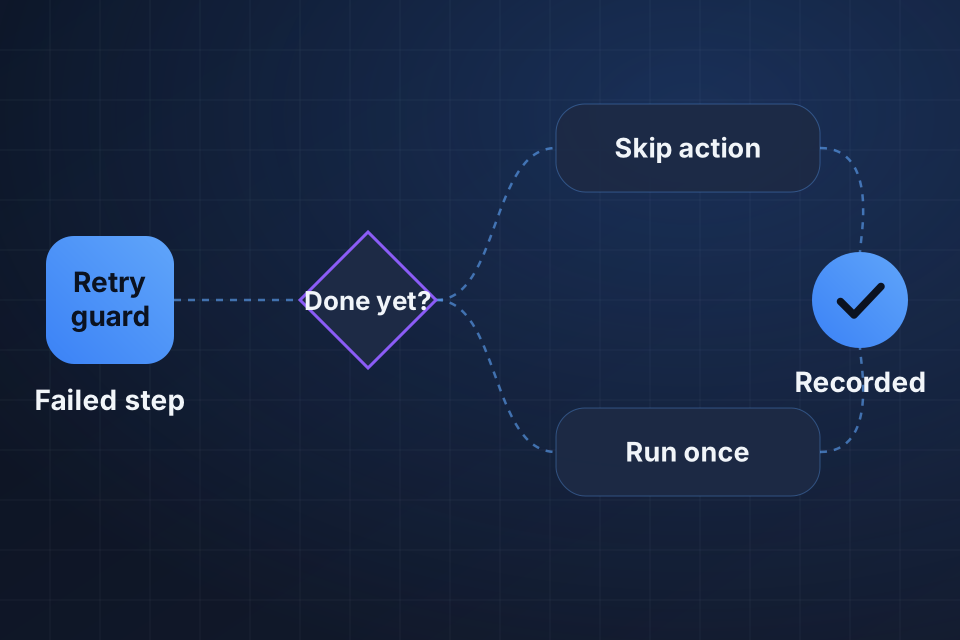
A retry repeats the notification step even though the first message already went out. Customers ask which email to follow, and your staff have no clear record of which run produced each message.
Repeat runs create extra CRM tasks, invoices, or tickets for the same business request. Your team deletes the visible duplicates, but later steps may already have assigned work or notified another team.
The failure screen doesn't show which actions took effect. People leave runs unresolved or finish the remaining work by hand, because restarting the automation feels likely to create more cleanup.
We compare the failure your workflow reported with the receiving system's history. A rejected request, a delayed response, and an accepted request with a lost response each need different recovery behavior to avoid repeating finished work.
Then we inspect the IDs used across runs and receiving systems. We work out how an original request can be recognized after a retry, and whether the receiving system offers a supported way to prevent repeat creation.
We look for overlapping runs, repeated triggers, and manual retries alongside automatic ones. Our check covers whether two runs can both decide an action is unfinished before either one records its completion.
We add suitable completion records or use supported controls in the receiving system. The workflow checks the business request and action before repeating work. It also handles the gap between making a request and recording its outcome.
We restructure recovery so finished steps are kept where your tools allow it. Uncertain outcomes get a review path. Retry limits and waiting periods match the failure, so the whole process doesn't restart blindly.
We document how to inspect records in the receiving system, resume a run, and resolve an uncertain send or creation. Logs link related runs, so the next person can see why an action was skipped or repeated.
That varies by automation tool and receiving system. Some systems offer repeat-prevention controls. Others need a lookup, a stored completion record, or manual review. We identify actions with uncertain outcomes and agree how your staff should handle them before we turn on automatic recovery.
We review cleanup separately from stopping new duplicates. An extra invoice or customer email can have consequences beyond the visible record. We can produce a list of likely duplicates and help define correction rules, while your team approves financial changes and customer messages.
Not necessarily. We inspect the current workflow first, and existing settings or revised steps may provide enough control. If the platform can't keep track of where a run stands or coordinate overlapping runs, we explain the limit and scope a suitable custom component or alternative approach.
Tell us which automation platform and connected apps are involved. Share one failed run, with personal details removed, and describe the action that repeated so we can review the recovery path.
Explore Process Automation More problems in Process automation
Tell us about your project and we'll get back to you within 24 hours.