Salsify: Syndication Configuration

Your team shouldn’t log into a portal for every retailer. Update once and let each one get its own format.

Stop Uploading by Hand

Your team reformats the same product data for each retailer, uploads it to each portal, and deals with rejections one at a time. Syndication is the Salsify feature that ends this, because it pushes content directly to retailer platforms in the format they require.

We set up a channel for each retail partner, then map your product data to the fields and content rules that retailer asks for.
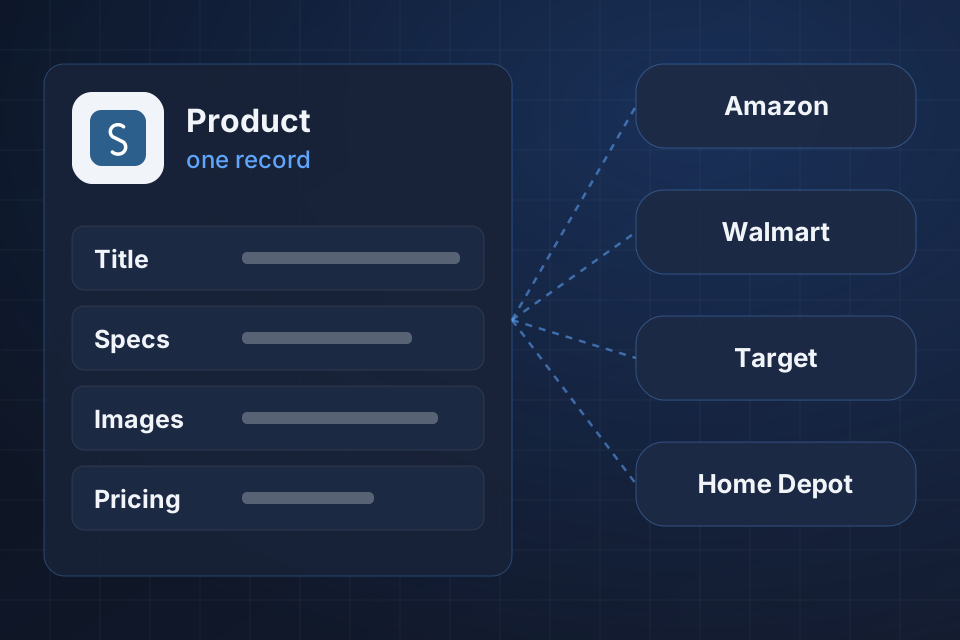
Diagram of a Salsify product record syndicating to Amazon, Walmart, Target and Home Depot using each retailer's rules.

What Syndication Gives You

Direct syndication to major retailers like Amazon, Walmart and Target

Attribute mapping and formatting for each retailer

Automated syndication schedules

Error monitoring and resolution when content gets rejected

Setting Up Each Channel

1

Pick the Channels

We list the retailers you sell through and pull each one’s attribute and content requirements.

2

Map Your Data

We map master product data to each retailer’s fields, image specs and content rules.

3

Schedule Delivery

We set up automated schedules, so changes reach each retailer without portal uploads.

4

Catch Rejections

We set up alerts and resolution workflows, so your team can fix rejected content quickly.

Why Choose System Strats

We’ve implemented Salsify for CPG and retail brands. We understand retailer demands, so each channel mapping starts from what that retailer will accept.

Frequently Asked Questions

Salsify keeps direct connections to retailer content systems. When you update product data, it pushes the change to each retailer in the required format automatically, with no manual portal uploads.

Many, including Amazon, Walmart, Target, Kroger, Home Depot, Lowe’s and Best Buy. We set up the specific channels you sell through.

Salsify gives detailed error reports for failed syndications. We set up alerts and build resolution workflows, so your team can fix rejected content quickly.

Yes. Each retailer has its own attribute requirements, image specs and content rules. We set up channel mappings that convert your master data to meet each one.

Ready to Get Started?

Tell us about your project and we'll get back to you within 24 hours.