Looker Studio: Automated Reporting

The report in your inbox on Monday should not depend on someone staying late on Friday.

Reports Without the Scramble

Someone on your team pulls numbers, pastes them into a report and sends it out every week. That time could go to real analysis, and one missed step means a late or wrong report.

We build automated Looker Studio workflows with scheduled email delivery, dashboards that refresh on their own and connected data pipelines. Your reports stay current without anyone touching them.
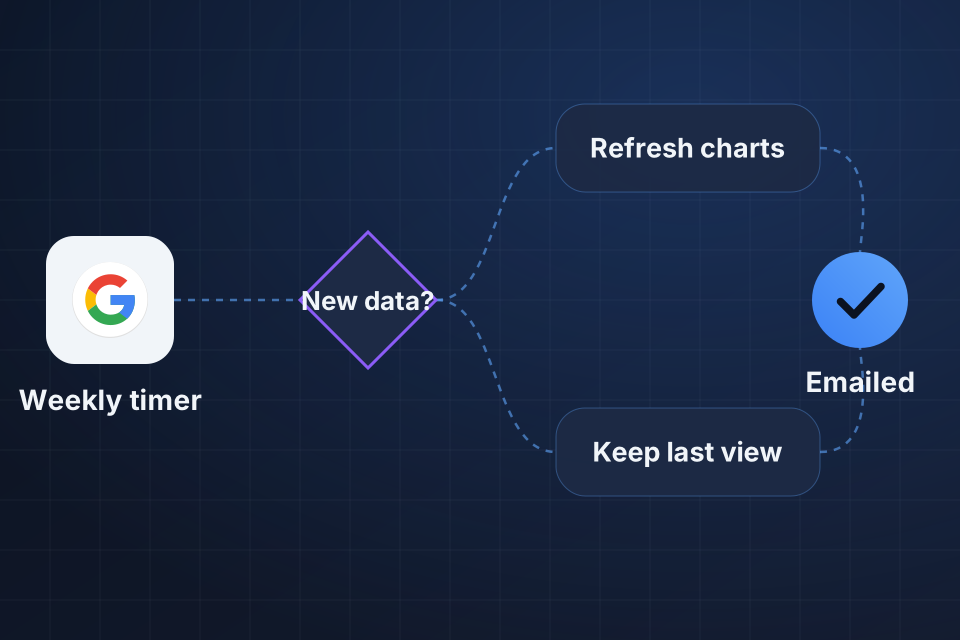
Diagram of a Looker Studio schedule that checks for new data, refreshes charts or keeps the last view, then emails recipients.

What Gets Automated

Dashboard snapshots delivered by email on a schedule

Data that refreshes on its own, so dashboards stay current

BigQuery scheduled queries that prepare your data

Report sharing with controlled access levels

Taking Reports Off Your Plate

1

Map Recipients

First we note who needs each report, how often they need it and what they should be allowed to see.

2

Prepare the Data

Refresh options and BigQuery scheduled queries get complex data ready before a report goes out.

3

Schedule Delivery

Emails go out daily, weekly or monthly with a PDF or a link to the live dashboard.

4

Control Access

Filters on viewer email and BigQuery access controls make sure each person sees only their own numbers.

Why Choose System Strats

We’ve built Looker Studio dashboards for businesses at every stage, and we understand data visualization and Google’s ecosystem. That lets us automate your reporting without adding complexity.

Frequently Asked Questions

Yes. We set up scheduled email delivery of dashboard snapshots on a daily, weekly or monthly basis. Recipients get a PDF or a link to the live dashboard.

We set data source refresh options, BigQuery scheduled queries for complex preparation and automated data pipelines. Together they keep your dashboard sources current.

Yes, with some setup. We filter data by the viewer’s email address and use BigQuery access controls, so each person sees only the data meant for them.

Yes. We build templates that fill in each client’s data using data source parameters and filter controls. This works well for agencies managing many client dashboards.

Ready to Get Started?

Tell us about your project and we'll get back to you within 24 hours.