BigCommerce: Multi-Storefront Setup

Each store looks like its own business to customers. Behind the scenes, your team manages them all from one place.

One Account, Several Storefronts

A second brand, a new region or a wholesale line can mean another store to run, with its own products to update and orders to track.

BigCommerce’s multi-storefront feature lets you run them all from a single account. We configure it so the stores share backend management while customers see a distinct site for each brand or market. We also work out which products, pricing and inventory each store shares, so the setup suits the way you operate.
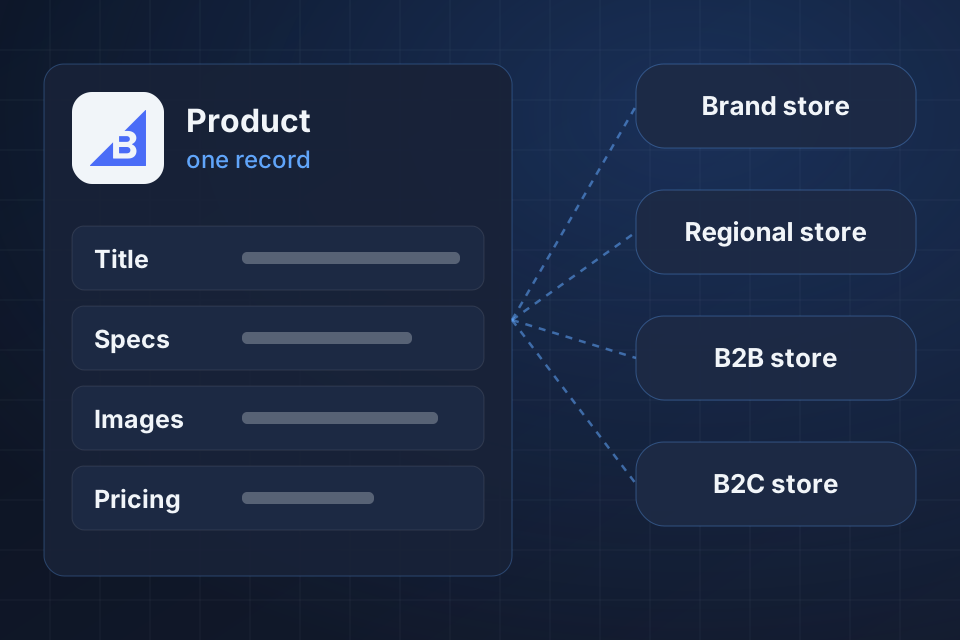
Diagram of one BigCommerce product record publishing out to brand, regional, B2B and B2C storefronts.

What One Account Gives You

Several branded storefronts managed from one admin

Product catalogs shared across stores or kept separate

Pricing and currency set by region

Orders and reporting together in one place

Setting Up Multiple Storefronts

1

Decide the Structure

We work out which storefronts you need and what each one shares, from products to pricing to inventory.

2

Configure Storefronts

Each storefront gets its own domain, design, catalog and pricing, with price lists handling differences on shared products.

3

Set Inventory Rules

Unified inventory keeps operations simple, while allocated inventory gives each channel its own stock. We set up whichever fits how you run.

4

Unify Operations

Orders and reporting come together in one view, and the storefronts connect to your inventory, accounting and fulfillment systems.

Why Choose System Strats

We’ve architected complex BigCommerce implementations for high-volume sellers. That experience helps us decide with you what each storefront should share and what it should keep separate.

Frequently Asked Questions

It depends on your BigCommerce plan. You can run multiple storefronts on one account, and each can have its own domain, design, product catalog and pricing.

Yes. You can share products across storefronts or assign them to specific ones. Shared products can still carry different prices per storefront through price lists.

You can share inventory or allocate it per storefront. We set up whichever fits your business: unified inventory for simple operations, or allocated inventory to manage each channel separately.

Yes, and it’s one of the most popular setups. The B2B store gets custom pricing, payment terms and faster ordering, while the B2C store serves retail customers.

Ready to Get Started?

Tell us about your project and we'll get back to you within 24 hours.