Deployment reports success but pages fail
The platform reports a successful release while an important page returns an error. That status describes what was published, not the working response a customer gets from your app.
Hosting, performance & domains
The build passes and your host accepts the release, but a customer page fails in production. Preview checks never tested the same dependencies. We inspect live requests, fix the confirmed mismatch and check the actions your users really need.
Discuss this problemWe reproduce the failing page with safe requests and compare how it runs live with the preview you tested. We review settings, service bindings (the links between your app and its services) and what the runtime, the live system running your code, supports. We do this without printing any secret values. A working homepage can hide a broken form or signed-in path, so your team names the checks that matter most. We test the fixed release once it is live. We also document any recovery steps available and their limits, especially where changes to live data make going back harder than picking an earlier build.
The platform reports a successful release while an important page returns an error. That status describes what was published, not the working response a customer gets from your app.
The live app can't use a service it needs with its production settings. The preview passed, but it didn't use the same connection, binding or account setup that real customer requests use.
The homepage loads while signed-in, data-driven or form pages fail. A broad uptime check passes even though the action your business depends on still doesn't work for the people who need it.
We inspect the live evidence for the failing request and tie it to the release. A safe reproduction shows which page really fails, so we aren't relying on the build's overall status.
We compare the settings and service access that preview and production need, without exposing secret contents. Missing bindings and mismatched permissions are checked against what the app really tries to do.
We review the released code and what it assumes the runtime supports. A service or code path can act differently after release, even when the local build and a simpler preview request both worked.
We fix the settings or code mismatch we have confirmed, then test the affected service call. The fix stays limited to what the live failure shows. We don't change unrelated settings in search of a result.
We add agreed checks after deployment for your critical pages and expected responses. Forms and signed-in paths use safe test conditions, so a pass describes the live app and not only a finished build.
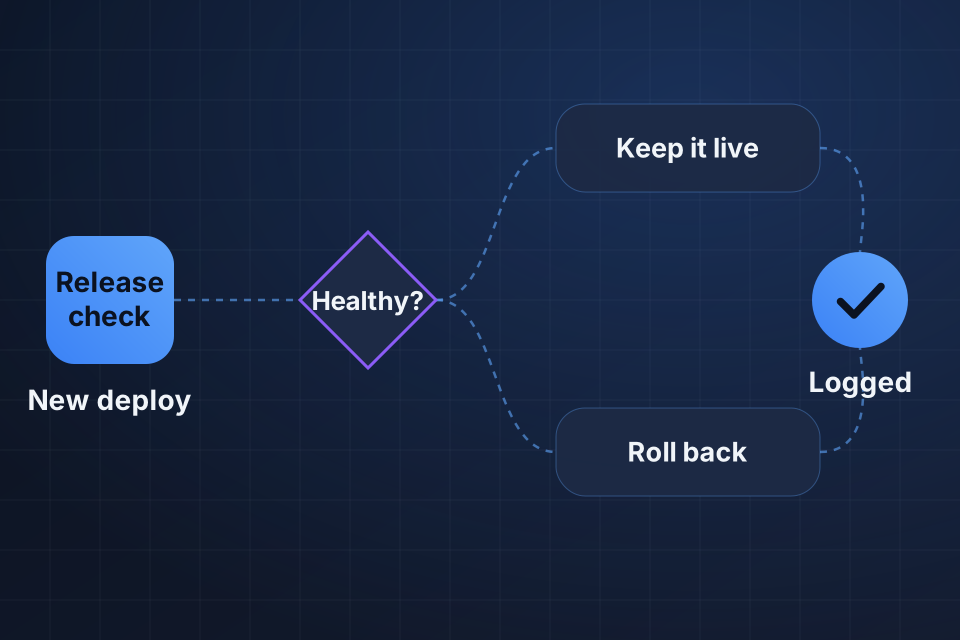
We document the supported way to restore or correct a release, with the checks that follow. Data changes and service limits stay spelled out, so your team knows when a simple rollback won't be enough.
No. A successful build shows the code finished building under build-time conditions. Live services and customer pages need their own checks in the running app. We set those checks around business actions, so a working homepage isn't treated as proof that the whole app works.
Where practical, yes. We use safe requests and an agreed test account or sample data. The test must exercise the failing service without exposing personal information unnecessarily. Some production conditions need limited live evidence, and we document what that testing can't show so the limits don't hide behind a preview result.
Not in every case. Recovery depends on your hosting setup and any data changes the release made. We check which restore methods exist and document their limits. Picking an earlier version doesn't automatically undo external writes, database structure changes or other actions the app already took.
Name your hosting platform and the affected page. Share one redacted production error with its request time and a safe URL example, so we can compare the live failure with the release records.
Explore Web Hosting More problems in Hosting, performance & domains
Tell us about your project and we'll get back to you within 24 hours.