Skip to content

Advertising & conversion tracking

Make purchase tracking match your real orders

One customer buys once, but your reports show several conversions. Revenue looks stronger than your orders support, and campaign decisions rest on inflated numbers. We trace the purchase signals, fix the repeats, and check the result with test orders.

Discuss this problem

How We Help

We start with how you define a completed purchase and a small set of orders that show the gap. Then we inspect your store's tracking, tag manager, analytics setup, and the related ad conversion actions. The same purchase can travel through several routes, or appear as several separately configured actions. We tell those cases apart before changing anything. You get an agreed measurement setup and a record of the change, so future reports can account for the break in tracking.

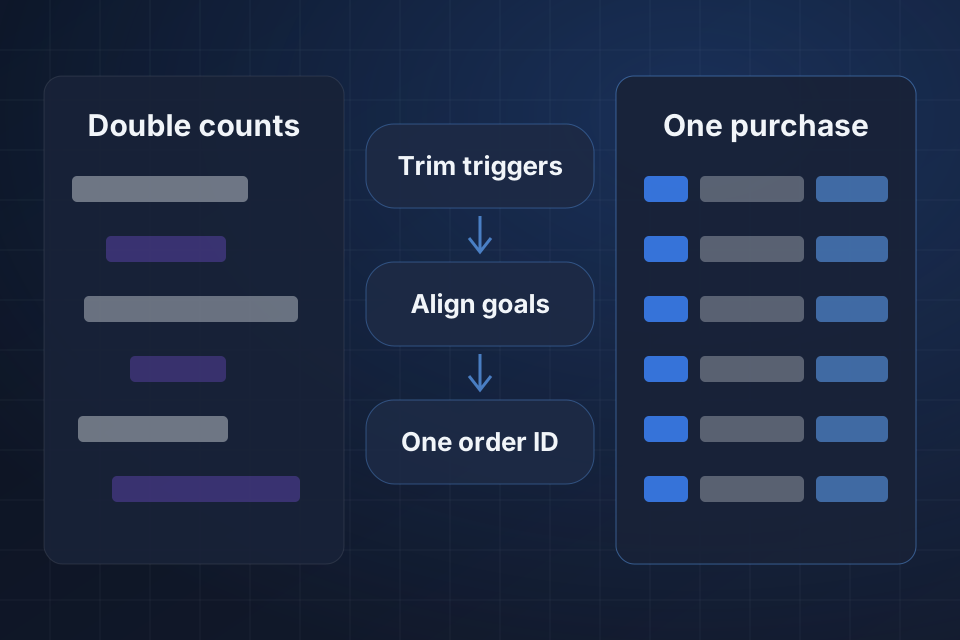
Diagram of repeated conversion records becoming one counted purchase through trimmed triggers, aligned goals and order IDs.

Signs This Is the Problem

Purchase counts exceed the order book

Analytics or ad reports show more purchases than your store recorded for a comparable period. The gap remains after normal reporting delays and your team's agreed handling of refunds, time zones, and attribution, which is how a report assigns credit for a sale.

Reloading repeats a purchase signal

Going back to an order confirmation page sends another purchase event. Your staff see a tracking request every time the page loads, even though the customer placed one order and paid once.

Several actions describe the same sale

An imported analytics purchase and a separate ad purchase action both appear in your reports. Teams add them together without knowing how they overlap, or account settings let several purchase signals influence campaign decisions.

What We Investigate

Inspect every purchase sender

We look for tracking in theme code, plugins, platform integrations, tag manager, and any server-side connections you have. Test orders show which senders fire, which IDs they use, and whether visits to the confirmation page cause repeats.

Review conversion action roles

In each affected account, we examine the actions used for reporting and campaign goals. We note where imported and directly measured purchases overlap, then agree with you which actions should represent the business result.

Check transaction IDs

We inspect how order IDs reach your purchase events and the supported fields for removing duplicates. Missing values, reused IDs, or mixed formats can undermine duplicate handling. We check each control for your specific platform and event route.

What We Repair

Remove conflicting purchase triggers

We change the confirmed source of repeated events and retire extra senders where that makes sense. Consent behavior and your other useful events stay in the review, so a purchase fix doesn't quietly remove measurement you need.

Align account goals with purchases

We set up purchase action roles to match your agreed measurement plan. Report labels and handover notes explain which action to use, how we handled overlap, and why totals from different platforms can still differ.

Use supported duplicate controls

We pass the right transaction IDs through supported tracking fields and test how they behave. Our notes show where duplicate handling applies and where an integration needs its own controls. We don't assume one ID fixes every route.

How We Verify the Fix

  • A completed test purchase produces the expected purchase signal from each sender kept in the measurement plan.
  • Reloading the confirmation page follows the agreed duplicate handling and keeps the original order value and ID.
  • Each campaign's purchase goal uses the reviewed actions, and the handover identifies any overlapping actions.
  • After the change, a sample of orders is compared with reports once processing delays pass, and any remaining differences are explained.

Questions About This Work

Will analytics and advertising totals become identical?

Not necessarily. They may keep differing because they use different attribution, reporting windows, consent signals, and processing rules. We check that your setup sends the intended purchase signals, and we explain the remaining differences. Your store's order records remain the reference for checking completed sales.

Can the inflated historical numbers be corrected?

That depends on the destination and the adjustment tools available. Removing a duplicate trigger improves future tracking, but it does not automatically rewrite earlier reports. We mark the change and assess any supported adjustments separately, so comparisons with past numbers stay understandable.

What access is useful for this audit?

We need limited access to the affected analytics and ad accounts, tag setup, and related store tracking settings. A sample of orders with personal details removed helps us compare records. Testing may require a controlled purchase or test payment flow that your team agrees to and the store supports.

Tell Us What Is Happening

Tell us which store platform, analytics tool, and ad platforms show duplicate purchases. Share one order with personal details removed, plus the repeated conversion entries, so we can trace the overlap.

Explore Advertising & Discovery More problems in Advertising & conversion tracking

Ready to Get Started?

Tell us about your project and we'll get back to you within 24 hours.