Make: Migration from Zapier

Moving off Zapier can cut your automation costs and give you more room for complex logic.

Leaving Zapier Without Breaking Things

Your Zapier bill rises every time your business does more, or your Zaps can’t handle the logic you need. Switching sounds risky, because those automations run work you can’t afford to drop.

We manage the full move to Make. We analyze your existing Zaps, rebuild them as Make scenarios with improvements, and confirm everything works before the switch. Scenarios are the visual workflows that replace your Zaps.
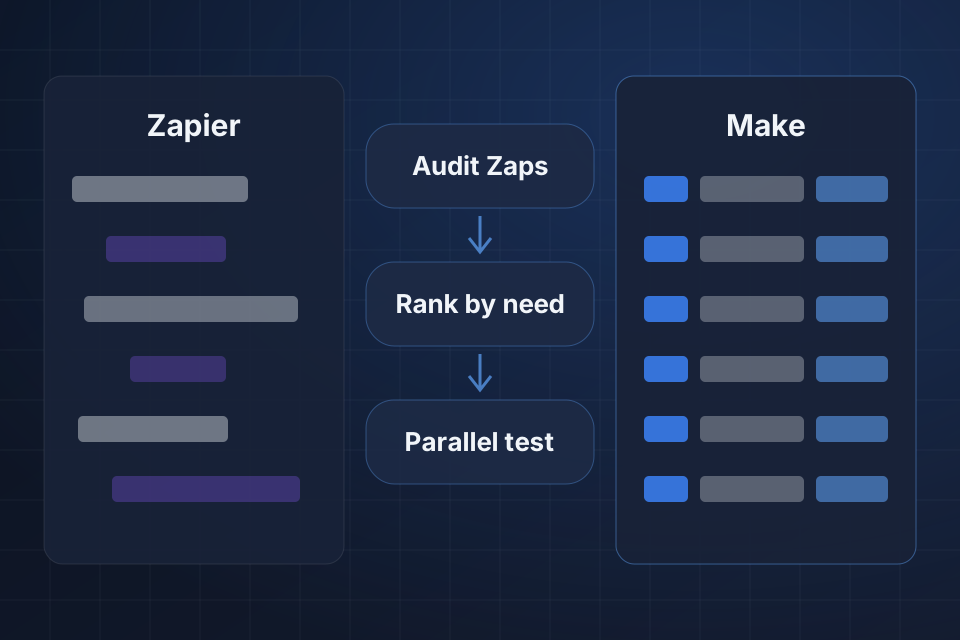
Diagram of automations moving from Zapier to Make through a Zap audit, priority ranking and parallel testing.

What The Move Includes

A full audit of every existing Zapier workflow

Scenarios rebuilt to use what Make does best

A cost analysis showing your expected monthly savings

Parallel testing and a cutover with zero downtime

Moving Zaps To Make

1

Audit Your Zaps

We review every Zap, estimate your monthly savings, and flag any platform limits upfront.

2

Rank By Priority

The migration order gets set, so your most critical automations go live first.

3

Rebuild In Make

Each Zap becomes a Make scenario, and many improve along the way thanks to Make’s data tools.

4

Test, Then Switch

Scenarios run alongside your Zaps during testing, and we cut over once everything checks out.

Why Choose System Strats

We’ve architected complex Make scenarios for technical and non-technical teams. We understand workflow design and cost management, so we look for savings and cleaner logic as we rebuild each Zap.

Frequently Asked Questions

It depends on your volume, and our cost analysis shows your expected monthly savings. Make’s operations-based pricing tends to cost less per run than Zapier’s task-based model, especially at high volumes.

The vast majority translate directly. Make has a broader set of built-in data tools, so many automations actually improve during migration. We identify any platform-specific limits upfront.

A typical migration of 20 to 40 Zaps takes 3 to 6 weeks, including parallel testing. We migrate in priority order, so your most critical automations go live first.

No. We run Make scenarios in parallel with your existing Zaps during testing, then cut over once everything is validated. Your automations keep running throughout.

Ready to Get Started?

Tell us about your project and we'll get back to you within 24 hours.