Runs overlap with previous work
A new run starts while the last one is still going. The same work is then in progress several times, and usage grows past what your team expects from one scheduled task.
Hosting, performance & domains
A scheduled task suddenly drives up usage, and nobody can say what it processed. Overlapping runs or repeated full scans may be multiplying the work. We trace the usage, fix confirmed problems and compare later usage with a recorded baseline.
Discuss this problemWe match each job run with your provider's usage records for the affected period. How much work a job did matters when comparing costs, so the baseline records what was processed and which service calls ran, as well as timing. We review overlapping runs and failure retries before suggesting any schedule change. Incremental processing means handling only what changed. Where it is supported, we test it only if changes at the source can be identified reliably. After the work, we look at a comparable period to check actual usage and any billing records available. Local tests alone do not show a saving.
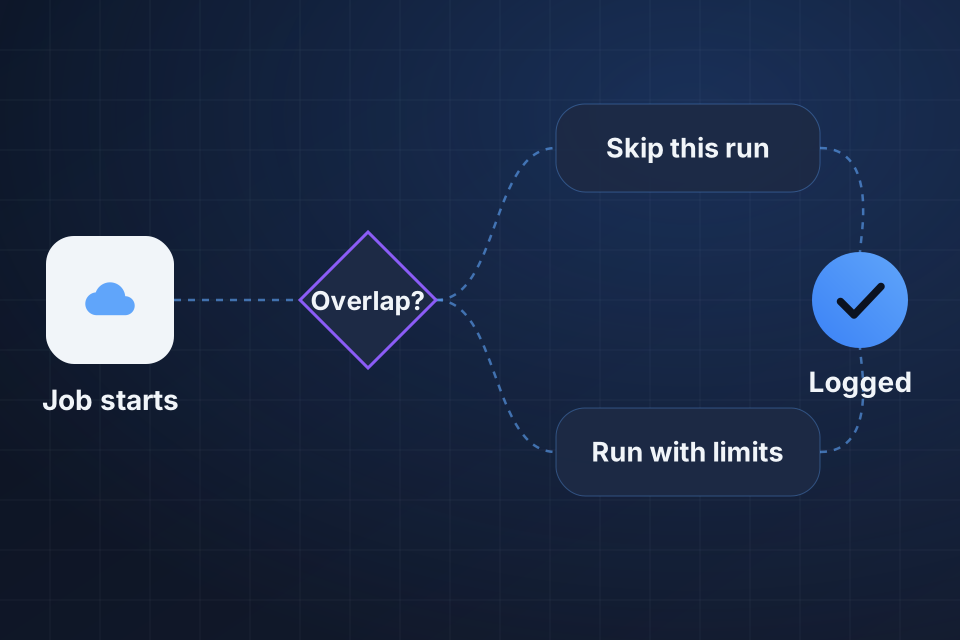
A new run starts while the last one is still going. The same work is then in progress several times, and usage grows past what your team expects from one scheduled task.
The job processes a full dataset even when little business information has changed. Quiet periods still bring expensive scans or transfers, because the job's scope doesn't reflect the real new work.
A failed action keeps calling outside services with no useful stopping point. Those repeat attempts use resources, while staff can't see progress and nobody owns the recovery decision.
We match run IDs and timing with the provider usage records available. Processed volume and service calls give us a baseline that can separate growth in real work from needless repeat runs.
We check the schedule and overlapping runs against how long the job really takes. Overlap may repeat the same records or make runs compete, so we confirm which work belongs to each run, and who owns it, before changing the timing.
We measure how much work and how many retries happen in successful and failed cases. This finds full rescans, repeated service calls and failure loops that make one routine-looking timer do far more work.
We put in place a supported way to control overlapping runs that suits the job. A second run then follows the approved behavior, instead of repeating work an active run is already doing.
We cut confirmed needless processing, using a reliable way to spot changes or another approved limit on scope. Reconciliation, a check that nothing was missed, stays where it is needed, so doing less work doesn't silently skip changed records.
We limit retries and show the reason for them to an owner. We then compare later actual usage and any cost records available with the baseline. We adjust for workload differences before crediting any saving to the change.
No. Actual savings depend on your workload and how your provider charges. We trace baseline usage, then review a comparable period after the change. That separates a confirmed improvement in how the job runs from a claimed saving that hasn't yet appeared in measured usage or billing records.
Not in every case. An incremental job needs reliable evidence of what changed and a maintained reconciliation policy. If the source can't identify relevant updates completely, cutting scope may miss work. We test the supported limit and document exceptions before replacing the original full processing.
It may not. Frequency is only part of the cost, and overlapping runs and repeated scans can stay expensive at a different interval. We look at what the job really does first. Any schedule change keeps your business timing needs in place, and we then compare the later measured results.
Tell us your hosting and scheduled-job platforms. Share one redacted usage spike and its job reference or run time, so we can compare what the job did with the work and cost your team expected.
Explore Cloud Services More problems in Hosting, performance & domains
Tell us about your project and we'll get back to you within 24 hours.