Zapier: Zap Development

Simple Zaps move data from one app to another. Real business processes need decisions along the way.

Beyond the Two-Step Zap

Your process has exceptions. Leads go to different people, orders need checking, and data has to be cleaned up before it reaches the next app. A simple two-step Zap can’t handle that.

We design and build Zapier automations around your business processes. With multi-step workflows, filters, conditional paths that send each case down the right route, and data conversion, we automate complex business logic without code.
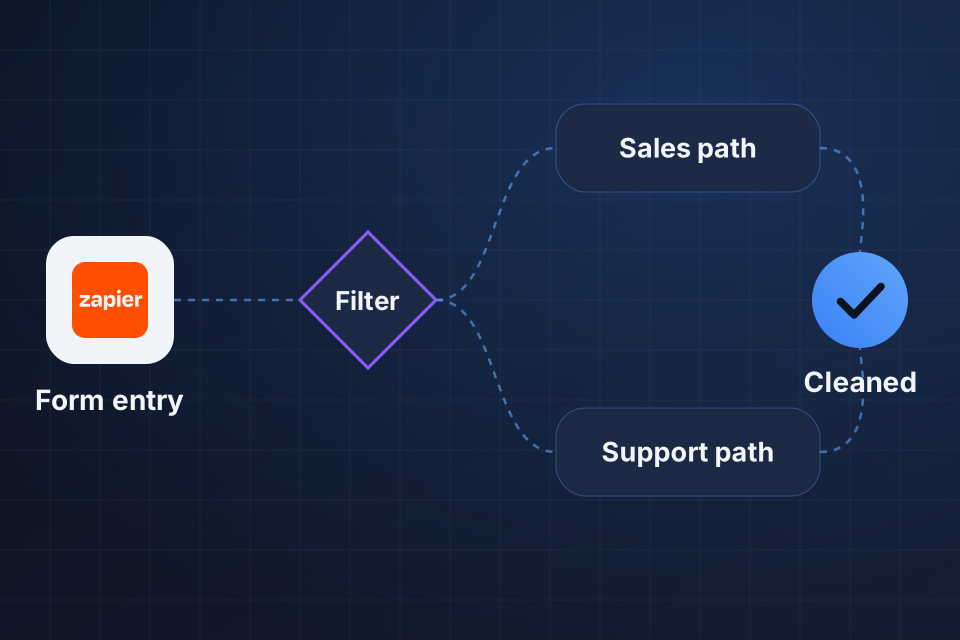
Diagram of a multi-step Zapier automation where a form entry passes a filter, follows a sales or support path and ends with clean data.

What We Build

Multi-step Zaps with conditional paths and filters

Data formatting and conversion between apps

Webhook-triggered automations for real-time processing

Lookup tables and cross-reference management

How a Zap Gets Built

1

Map the Logic

We write out the process, including the decisions, exceptions and data each step needs.

2

Build in Stages

Triggers, filters, formatters and paths go together one stage at a time, with webhooks where you need real-time updates.

3

Connect Your Tools

If an internal tool has an API, we link it through webhooks or a custom Zapier integration.

4

Test Hard Cases

Real-world data, edge cases, empty fields and error conditions all run through the Zap before it goes live.

Why Choose System Strats

We’ve managed Zapier implementations for businesses of various sizes, and we treat Zapier as a tool for solving specific problems. Each Zap we build starts from the process it has to support.

Frequently Asked Questions

Almost any process that moves data between apps. Examples include lead capture and CRM entry, order processing, fulfillment notices, invoices, customer onboarding, reports and support ticket routing.

Very. Zapier supports multi-step Zaps with conditional paths, filters, formatters, delay steps and loops. We build Zaps that handle surprisingly complex business logic inside Zapier’s visual interface.

Yes, if your tool has an API. Zapier’s webhook triggers and actions can connect to it. For internal tools you use often, we can build custom integrations on Zapier’s developer platform.

We test every Zap with real-world data, including edge cases, empty fields and error conditions. Zapier’s test tools let us check everything before switching on live triggers.

Ready to Get Started?

Tell us about your project and we'll get back to you within 24 hours.