Salesforce: Flows & Automation

If your reps make the same clicks on every record, Salesforce can probably make them instead.

Clicks Flow Can Replace

Your reps and admins update the same fields, chase the same approvals and send the same notices by hand. Most of that repetitive work can be automated with Flow, the tool Salesforce provides for building automation without code.

We build flows that handle record updates, approvals, notifications and multi-step processes. We also build guided screens that walk people through data entry, so those manual steps stop eating your team’s time.
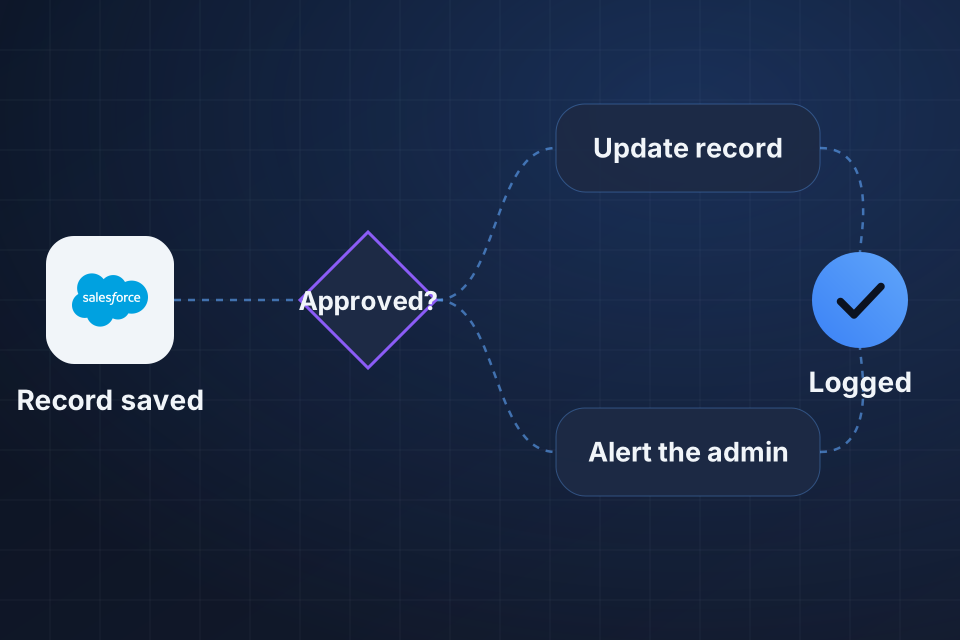
Diagram of a Salesforce Flow where a saved record hits an approval check, then updates the record or alerts an admin.

What We Automate

Record-triggered flows for updates, routing and notifications

Screen flows that guide people through data entry and multi-step processes

Approval processes for quotes, discounts and other sign-offs

Legacy Process Builder and Workflow Rules cleaned up

Automating Without the Spaghetti

1

Audit Automations

We review existing flows, Process Builders and Workflow Rules to see what overlaps and what nobody can explain.

2

Choose the Tool

We default to Flow and save Apex code for logic Flow can’t handle.

3

Build and Name

We build each automation with a clear naming convention, documentation and a pattern new admins can follow.

4

Move Legacy Rules

We move older Process Builder and Workflow Rule logic into Flow, then test it with your users.

Frequently Asked Questions

Flow first, Apex when Flow can’t do the job. Flow is faster to build, easier to maintain and easier for admins to work with. We use Apex for complex business logic, integrations or performance-sensitive automations where Flow has real limits.

Both are legacy tools, and Salesforce is steering automation toward Flow. We move existing automations to Flow during cleanup projects and build new automations in Flow from day one.

Yes, easily. Too many overlapping automations create behavior that’s hard to debug. We audit existing flows and rebuild them with a clear naming convention, documentation and a pattern new admins can follow.

Yes. Screen flows are one of the best tools for training new reps and cutting data quality issues. We build them for lead creation, opportunity updates, case intake and other high-touch processes.

Ready to Get Started?

Tell us about your project and we'll get back to you within 24 hours.