Accepted estimates do not become jobs
Sales records show an accepted estimate, but your schedulers have no job to assign. Your team must enter the approved work by hand or wait until somebody notices the handoff never happened.
CRM & field operations
A customer accepts an estimate, but scheduling has no job to assign. Later field changes may stop before reaching the office or accounting. We trace acceptance and update paths, keep approved details, and check the handoff your teams rely on.
Discuss this problemWe follow one accepted estimate into its expected job and compare the version your customer approved with the line details that transferred. Job creation may fail because of references or a field the receiving system rejected. The review then follows relevant mobile changes back to your office systems. Operational notes and financially significant revisions need different approval rules. Your owners set those limits before any updates get automated, and we compare old accepted estimates with jobs entered by hand.
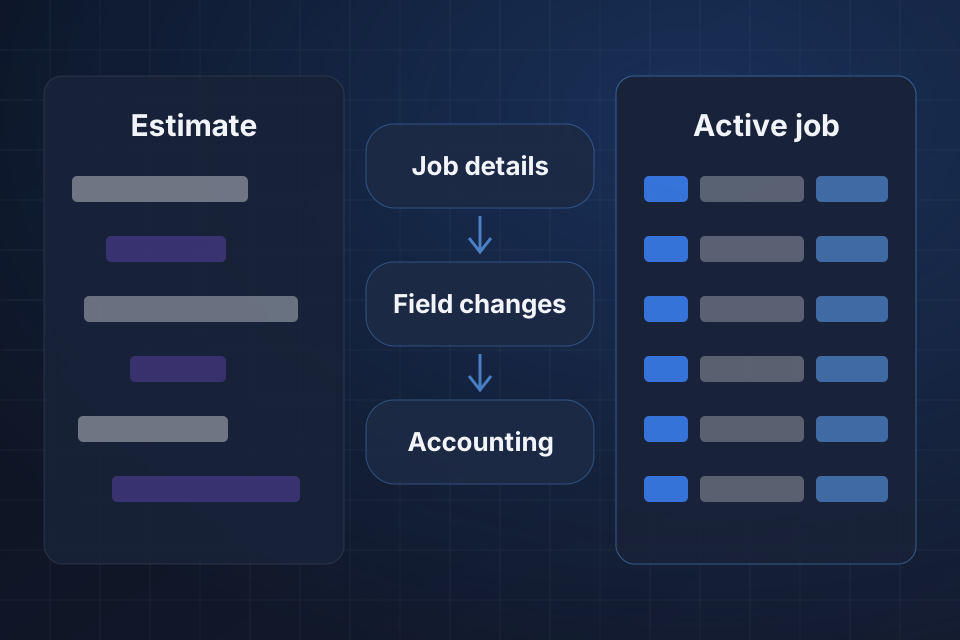
Sales records show an accepted estimate, but your schedulers have no job to assign. Your team must enter the approved work by hand or wait until somebody notices the handoff never happened.
The job holds different quantities or site details from the approved estimate. Field staff get instructions that no longer match the customer's agreement, and the office repairs the details afterward.
Completion or change details stay in the mobile tool after field staff save them. The office schedules or invoices from an earlier version because the approved update never reached its destination.
We trace the estimate's accepted status and stable reference into job creation. Evidence from the receiving system separates a failed handoff from a job created under an unexpected customer or scheduling link.
Next, we compare site, customer, and line details with the accepted estimate version. We separate later revisions from transfer errors, so the fix keeps what was actually approved for the job.
We inspect which field changes should reach office or accounting records. Approval requirements and supported mobile sync routes decide where a saved update must wait and where it can continue automatically.
We repair confirmed job-creation mappings or delivery errors using supported transitions. The accepted estimate creates its intended job once and keeps the customer and source references needed for follow-up.
Approved line and site details stay intact during transfer. Later revisions follow a clear update rule, and they don't silently replace job details from whichever estimate version happens to be current.
We connect approved field changes to their intended office destinations and make rejected updates visible. Financial revisions stay subject to the owner's agreed approval before they affect charges or invoice preparation.
No. Only the changes approved for that destination should transfer. Operational notes and financial revisions can carry different meanings and authority. We agree which office decisions govern charges or invoicing before a mobile field change can update the accounting route.
We compare acceptance evidence with existing jobs, including records your staff entered by hand. A reviewed list of missing work can then be recovered. Unclear matches stay with your scheduling owners, so the transfer doesn't create another job for work already assigned.
The review includes relevant fields and the mobile tool's supported update routes. Saving or sync failures specific to a device can be dependencies. We record those findings and test the affected field-to-office journey, and we don't treat a saved screen as evidence of a successful transfer.
Tell us your estimating, field, and office platforms. Share one accepted estimate, with personal details removed, along with its missing job or update reference. We can then follow the handoff and compare the expected details at the destination.
Tell us about your project and we'll get back to you within 24 hours.